05Natura & Avon2024
AAA Checker
AI ASSISTEDManual accessibility audits turned into a working Figma plugin

From
To
A rules model running inside the design tool, with judgment left to the designer.
- Role
- Scope
- Team
- Period
Current state
Context, problem and intervention
Context
Accessibility reviews included repetitive checks that could be evaluated deterministically, while other WCAG decisions still required human judgment. The opportunity was to automate the first category inside Figma, where the design work already lived, without pretending accessibility could be reduced to a checklist.
Problem
An accessibility standard was being applied across a large body of existing design work. The criteria were clear; the same technical checks had to be repeated screen by screen and component by component, and manual inspection did not scale.
Intervention
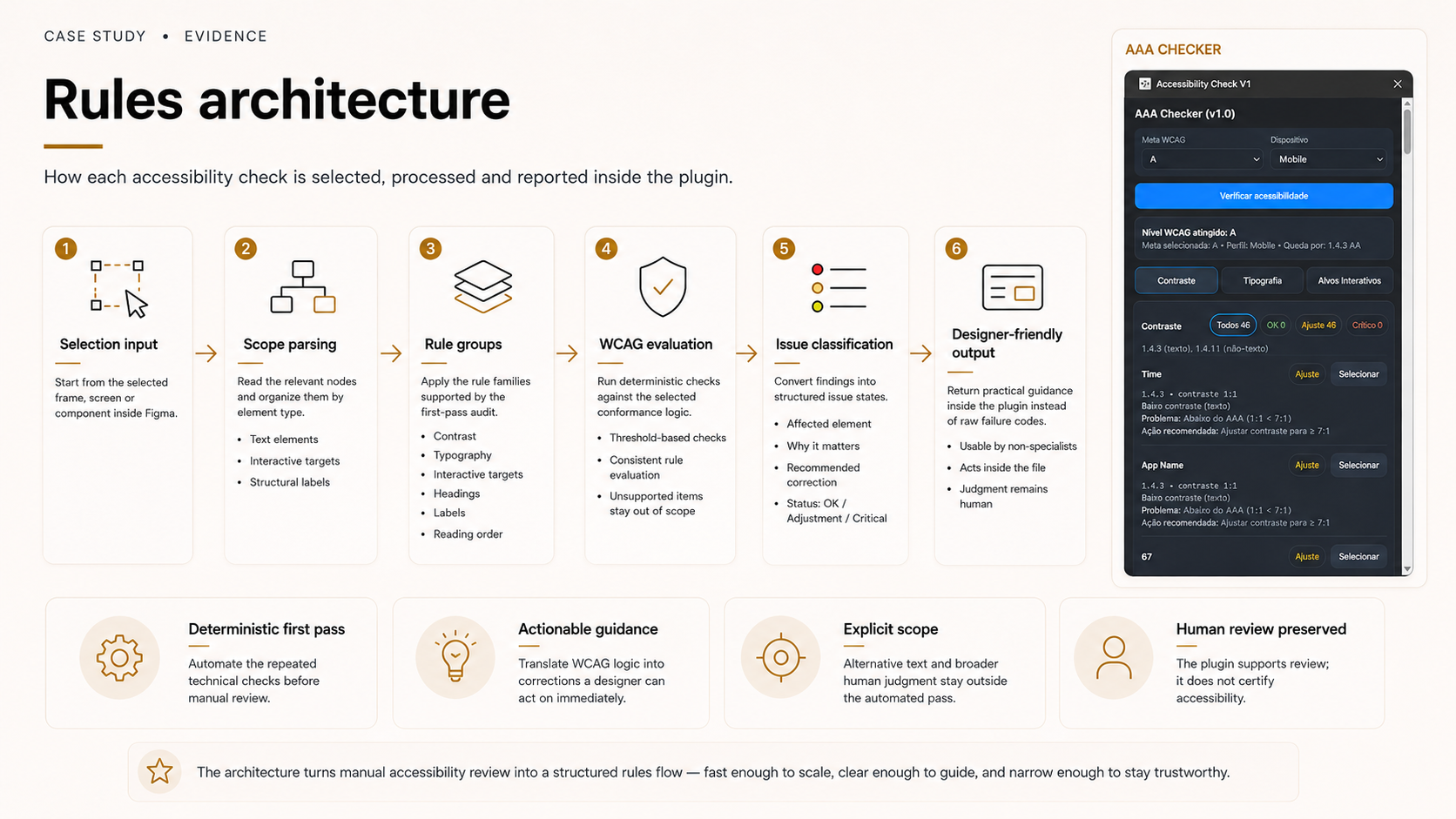
I encoded the mechanical first pass as product logic, contrast, font size, clickable area, headings, labels and reading order, and built it into a Figma plugin using AI-assisted development.
Problem, rules, build
Automate the mechanical pass, keep judgment human
Accessibility review mixes deterministic checks with decisions that need a designer's reading of context.
- Evidence
- The repeated portion of the work was technical and rule-shaped; the slow portion was volume, not difficulty.
- Decision
- Scope the tool to WCAG-based checks with conformance-level logic, and leave final judgment and implementation to the designer.
- Trade-off
- A partial tool can be mistaken for a certification if its scope is not stated inside the product.
- Consequence
- The plugin reports a first-pass audit, never an accessibility guarantee, and alternative text is explicitly out of scope.
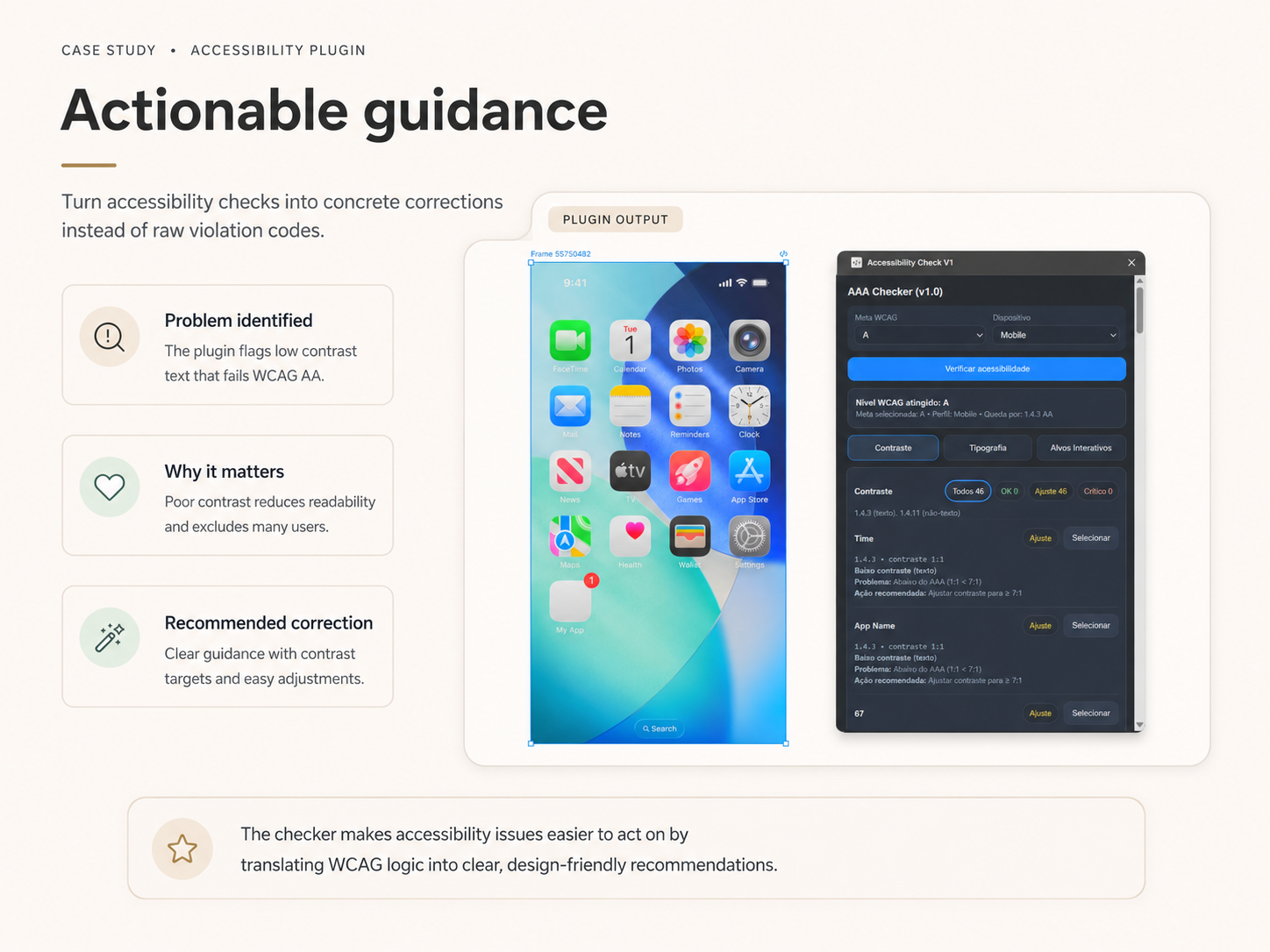
Report a correction, not a violation code
Most audit tooling returns a list of failures the reader still has to interpret.
- Evidence
- The designers who would use this needed to act inside the file, immediately, without leaving to look up a criterion.
- Decision
- For every issue, identify the affected element, explain why it matters and recommend a practical correction.
- Trade-off
- Writing explanations and recommendations for each rule took longer than emitting pass/fail results.
- Consequence
- The output became usable by designers who are not accessibility specialists.
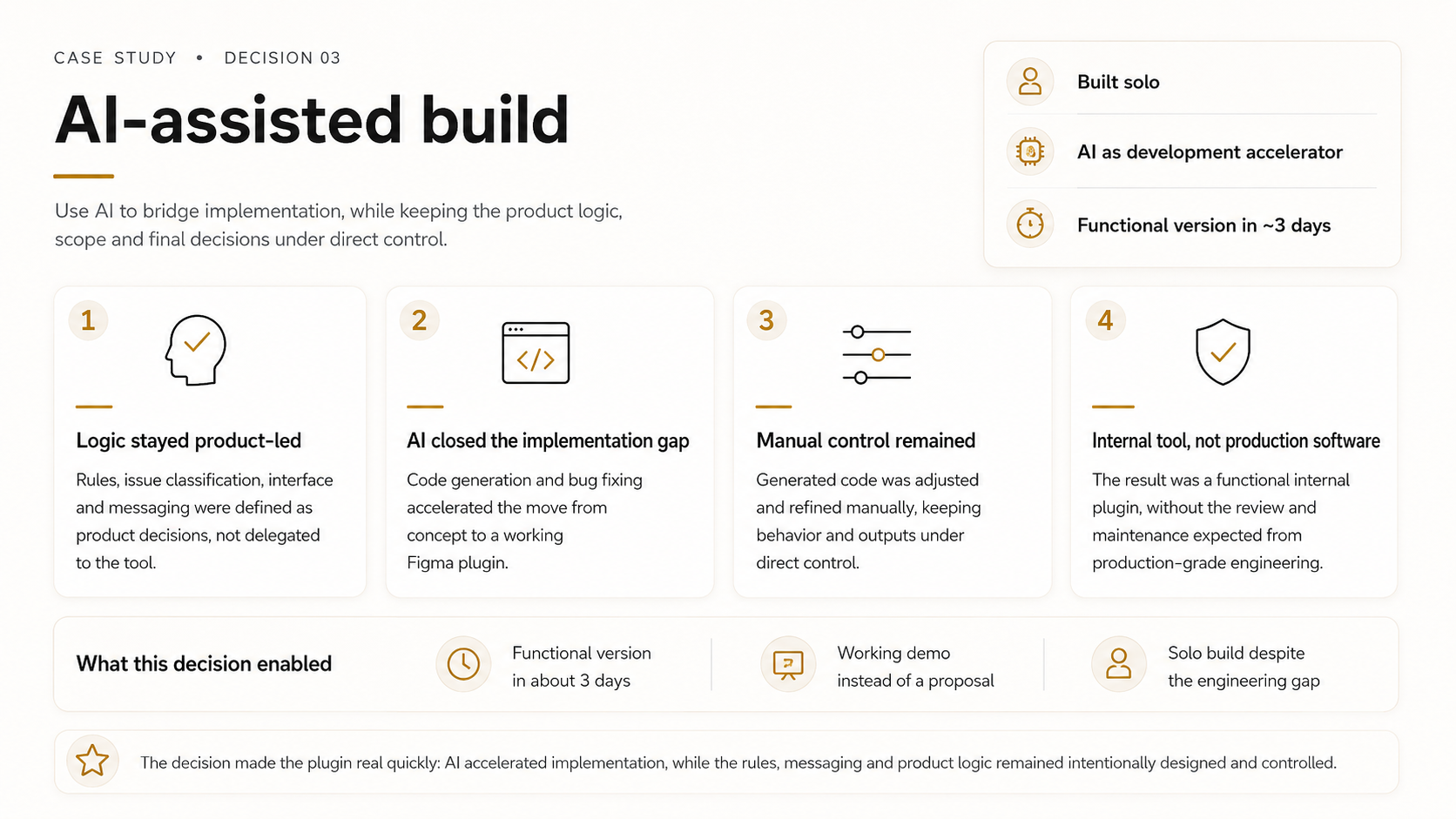
Use AI to cross the engineering gap, and stay in control of the product logic
The product logic was mine to define; plugin engineering was not my primary craft.
- Evidence
- The gap between design expertise and the Figma Plugin API was implementation, not conception.
- Decision
- Own the rules, classification, interface, messaging and expected behavior; use AI to generate the complete implementation and direct debugging through testing and iteration.
- Trade-off
- The result is a working internal tool, not production-grade engineering with formal code review, maintenance or deployment governance.
- Consequence
- A functional version existed in about three days instead of remaining a proposal.
AI-directed plugin development
01 · Define
02 · Specify
03 · Generate
04 · Test
05 · Refine
06 · Output
Evidence
Constraints and trade-offs
- First-pass audit only: the plugin does not certify a design as accessible and does not remove manual review.
- Alternative text is not among the supported checks.
- Built in JavaScript against the Figma Plugin API; no machine-learning model is involved.
Outcome
In my own workflow the plugin substantially accelerated the initial review compared with checking every item by hand, a qualitative acceleration, observed rather than measured. Other designers responded positively to the demonstration.
Delivered
- Functional Figma plugin, used on real Natura files.
- WCAG-based audit rules, issue classification, messaging and documentation.
- A working demonstration of standards translated into product logic.
Not measured
- Time saved, productivity gain or team adoption.
- Distribution: the plugin was not published before my departure.
Next case
Natura & Avon